Step into the role of a detective apprentice aboard an intergalactic train where every passenger could be hiding something. After your mentor is murdered under seemingly impossible circumstances, you’re left to uncover the truth on your own. Explore different parts of the train, inspect clues, question suspicious passengers, and piece together conflicting testimonies. Every conversation reveals new information, but not everyone is telling the truth.
When time runs out, activate your Time Looper and return to the beginning of the investigation. Use the knowledge you’ve gained to make different choices, unlock new dialogue options, and gradually uncover what really happened.
Our Goal
We wanted to create an intriguing murder mystery role-playing game set aboard an intergalactic train. However, instead of following a single story path, we wanted to give players the opportunity to discover different story outcomes and learn from their previous mistakes. This is where the Time Looper mechanic comes in. We knew from the start that this was something we wanted to include in our game.
We chose the intergalactic sci-fi setting because it gave us more creative freedom to create our own alien characters and design the train.
Process
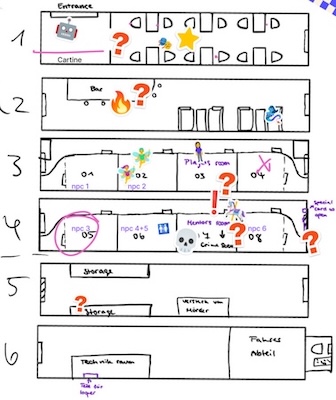
Our goal was to combine the deduction of classic detective games with the progression of a time loop mechanic. We started by designing the complete train layout and mapping out every story event. After that, we divided the tasks among the team. Some members started designing the characters and props, while others focused on programming. However, some team members also worked in both design and development.
first draft of our train layout
World Design
The environment was first planned with sketches. We wanted to create a mixture of sci-fi elements and vintage furniture and decorations. Then, each of us started browsing the Unity Asset Store and collecting free assets that matched our vision. At the same time, we began grayboxing the train in Unity and created the first draft of the environment.
After finding a few asset packs that we liked, one of us started creating the bedrooms. Once those were finished, we continued building the remaining parts of the train.
Character & Asset Design
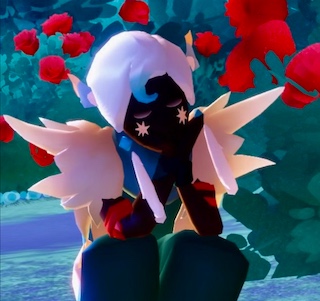
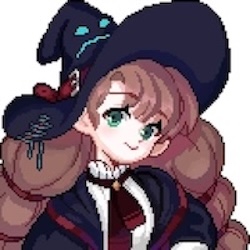
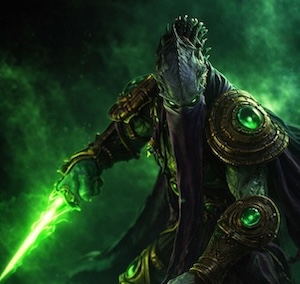
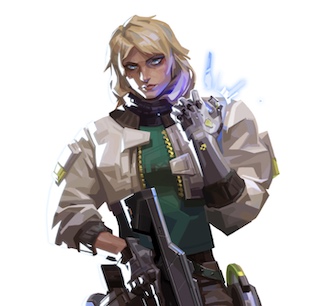
We started by creating a mood board where everyone contributed ideas and references for the character designs. After finalizing our storyline and deciding how many characters we wanted to include, we divided the work among our three artists and began designing the characters.
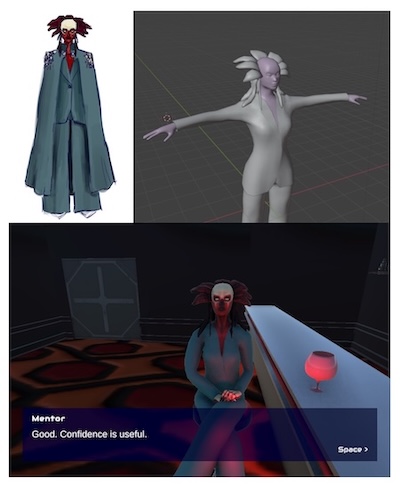
Once the designs were finalized, we created the character models in Blender.
The process of creating our mentor character
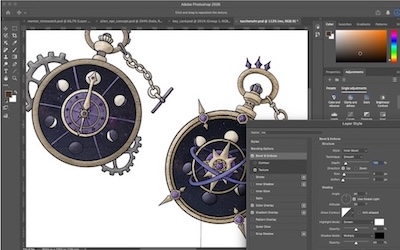
We followed the same process for the custom assets by first deciding which objects we wanted to create ourselves and sketching our ideas. Afterwards, we modeled them in Blender and added them to our project.
Development
The developers started by implementing the core mechanics in Unity, including the player controller using Unity’s Input System, an interaction system, and the loop system. This allowed us to implement our main gameplay idea, where the player can create loop points and restore the state of the player, NPCs, and interactive objects.
To guide the player throughout the game, we created a hint system based on progression checks. For example, talking to specific NPCs or collecting the Time Looper unlocks new hints and objectives, helping the player progress through the story.
We used Yarn Spinner to implement our dialogue system and branching conversations. Beyond handling player choices, we integrated custom Yarn commands to trigger gameplay events such as NPC movement, door interactions, objective updates, and player control changes. This allowed us to keep the narrative and gameplay closely connected while making the dialogue easy to edit and expand.
TechStack
Projectmanagement
We used Miro for tracking our tasks and creating our design moodboards. On Discord, we had our weekly meetings and coordinated our tasks, solved problems and updated each other on our work between meetings.
Design
We used Procreate and Photoshop for designing our characters and assets and created them in Blender to import into our Unity project.
Development
We used Unity for our project and Yarnspinner for the Dialogue. We worked together on our project via Github.